
Dallas has a growing number of mobile app development agencies, each with different specializations, pricing models, and technical capabilities. Choosing the right partner requires evaluating portfolio depth, technology expertise, communication process, and post-launch support. This guide covers everything you need to make a confident decision, from cost ranges and frameworks to team structure and hiring criteria.
Dallas Mobile App Development Snapshot 2026
The table below provides a quick reference for cost ranges and timelines based on project type. All figures reflect estimated market ranges for custom development in the Dallas area. Actual pricing depends on features, integrations, design complexity, and backend requirements.
| App Type | Estimated Cost Range (Dallas) | Typical Timeline |
| MVP / Proof of Concept | $10,000 to $25,000 | 6 to 10 weeks |
| Simple App (2 to 4 screens) | $15,000 to $30,000 | 8 to 12 weeks |
| Mid-Range App (multi-feature) | $30,000 to $60,000 | 12 to 20 weeks |
| Enterprise / Complex App | $60,000 to $150,000+ | 20 to 40 weeks |
| Cross-Platform (React Native / Flutter) | $20,000 to $50,000 | 10 to 18 weeks |
Best frameworks for most business apps in 2026: React Native and Flutter. Both deliver near-native performance at lower cost than building separate iOS and Android apps.
Why Dallas Is a Growing Market for Mobile App Development
Dallas-Fort Worth has developed into one of the more active technology regions in the United States over the past decade. For companies considering a mobile app project, the metro area offers a combination of available engineering talent, a business-friendly environment, and industry diversity that makes it well-suited for digital product development.
The region hosts a significant concentration of enterprise businesses across healthcare, logistics, financial services, and retail, many of which are actively investing in mobile solutions for internal operations, customer engagement, and field services. This enterprise demand has helped grow a local ecosystem of capable custom app developers and agencies.
| Industry Insight:Markets with strong enterprise diversity tend to produce more experienced app development agencies because those agencies have handled complex, regulated, and high-volume applications across multiple industries. This depth of experience is often visible in portfolio quality and technical approach. |
For businesses evaluating a local custom app development partner, the concentration of experienced agencies in Dallas means more genuine options compared to smaller tech markets. At the same time, the range in quality and capability is wide, which makes evaluation criteria especially important.
Mobile App Development in 2026: What Has Changed
The landscape for building mobile applications has shifted considerably. Several practical changes affect how projects are scoped, built, and launched in 2026.
For a full breakdown of process and strategy, see our dedicated Mobile App Development Guide 2026.
Key Shifts in 2026
- AI-assisted development tools have become standard in most professional development workflows, improving output speed and code quality without replacing the need for experienced engineers.
- Cross-platform frameworks, particularly React Native and Flutter, have matured to the point where they are a genuinely strong default for most business applications, not just a compromise option.
- User expectations around speed, personalization, and UX quality have risen. Apps that feel slow, inconsistent, or generic tend to have poor retention regardless of their feature set.
- App Store policies on both iOS and Android have tightened around privacy handling, accessibility compliance, and data transparency. These requirements must be built in from the start.
- Post-launch monitoring and iteration have become as important as the initial build. Apps require ongoing maintenance to stay compatible with OS updates and user expectations.
| Industry Insight:Cross-platform development has moved from being a cost-cutting workaround to a legitimate first choice for most applications. In 2026, React Native and Flutter are mature enough that performance and quality differences from native are negligible for the vast majority of business use cases. |
Types of Mobile Applications
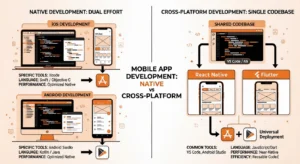
- Native iOS apps (Swift/SwiftUI): Maximum performance and deep Apple system integration. Best when the app must use hardware-level iOS features or serve an Apple-centric audience.
- Native Android apps (Kotlin/Jetpack Compose): Best for Android-first contexts, enterprise Android deployments, or apps with deep device-level requirements.
- Cross-platform apps (React Native or Flutter): Single codebase covering iOS and Android. Appropriate for most business applications, startups, and mid-market products.
- Progressive Web Apps (PWA): Browser-based with limited native-like features. Suitable for content-heavy apps with modest budgets.
- AI-integrated applications: Apps using on-device or cloud ML for personalization, computer vision, NLP, or workflow automation. Growing in adoption across most business verticals.
Common Industries Served by Dallas App Agencies
- Healthcare and telemedicine: Patient portals, appointment systems, remote monitoring, and HIPAA-compliant data handling.
- Logistics and field services: Fleet tracking, permit and compliance management, digital workflows for field operations.
- Retail and eCommerce: Shopping experiences, loyalty programs, inventory management, and customer service apps.
- Financial services: Payment platforms, investment tools, compliance dashboards, and digital banking features.
- Real estate: Property search, virtual tours, CRM integrations, and agent tools.
- Education: Learning management integrations, progress tracking, and interactive content delivery.
Mobile App Development Lifecycle: 7 Stages Explained
Every mobile application, regardless of platform or complexity, goes through a defined development process. Understanding these stages helps you set realistic expectations, manage scope, and evaluate how a potential agency approaches its work.
For detailed checklists and stage-by-stage questions, see the full Mobile App Development Lifecycle Stages guide.
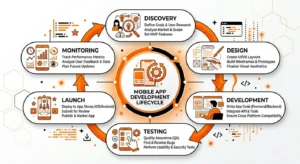
Stage 1: Discovery and Requirements Analysis
This phase defines the project before development begins. A structured discovery process reduces the risk of costly scope changes later. It typically covers business goals, target users, technical constraints, and feature prioritization.
- Stakeholder interviews and user persona development
- Competitive analysis of existing apps in your category
- Feature prioritization using structured frameworks such as MoSCoW (Must-have, Should-have, Could-have, Will not have)
- Technical feasibility and platform recommendation
- Deliverable: a Product Requirements Document and initial project roadmap
| Expert Insight:Discovery is the phase most often skipped by businesses trying to save time or money upfront. In practice, a thorough discovery phase consistently reduces total project cost by catching misalignments before they require expensive rework. |
Stage 2: UX Research and Information Architecture
Before visual design begins, the information architecture defines how users navigate the app, how content is structured, and how tasks are completed. This phase translates user research into logical structure.
- User journey mapping and task flow diagrams
- Wireframing: low-fidelity representations of every screen and interaction
- Usability testing of wireframes with representative users before investing in visual design
- Navigation structure and content hierarchy definition
Stage 3: UI Design and Prototyping
Visual design builds on the information architecture. The goal is a consistent, accessible interface that aligns with platform guidelines and your brand identity.
- High-fidelity mockups incorporating color, typography, and iconography
- Interactive prototypes for stakeholder review and user validation
- Component library creation for design consistency and development efficiency
- Accessibility review against WCAG 2.1 AA standards
| Expert Insight:UI design is not decoration. The visual and interaction design of an app directly affects how users perceive quality, how long they stay engaged, and whether they return. Apps that underinvest in design tend to see this reflected in their ratings and retention metrics. |
Stage 4: Backend Architecture and API Design
The backend is the foundation the mobile app is built on. Weak backend architecture is one of the most common causes of performance problems, security issues, and scalability failures in production apps.
- Technology stack selection based on project requirements (Node.js, Python, Laravel, or serverless options)
- Database architecture: relational, document-based, or hybrid depending on data structure and query pattern
- API design: REST or GraphQL with clear versioning and documentation
- Authentication and authorization: OAuth 2.0, JWT tokens, biometric authentication, multi-factor options
- Cloud infrastructure setup with appropriate scaling policies
Stage 5: Frontend Development and Integration
Development follows an agile model with regular sprint cycles, typically two weeks. Client visibility is maintained through sprint demos and weekly progress updates.
- Feature development in structured sprints with defined acceptance criteria
- Code reviews and quality checks built into the development workflow
- CI/CD pipeline setup for consistent, automated builds and deployment
- Third-party integrations: payment gateways, maps, analytics, CRM platforms, and communication tools
- Real-time features where required: push notifications, live tracking, in-app messaging
Stage 6: Quality Assurance and Testing
Testing should run throughout development, not only at the end. A layered QA process catches issues at the right time, before they become expensive to fix.
- Unit and integration testing (automated where practical)
- UI and UX testing across a representative range of device sizes and OS versions
- Performance testing covering load times, memory usage, and battery consumption
- Security testing referencing OWASP Mobile Security Top 10
- Beta testing with real users through TestFlight (iOS) or Firebase App Distribution (Android)
| Expert Insight:The cost of fixing a bug grows significantly the later it is discovered. Bugs caught in QA during development are far less expensive to resolve than those found after launch. A well-structured QA process is a cost management strategy, not just a quality one. |
Stage 7: Launch, Monitoring and Iteration
Launch is the start of product operation, not the end of development. Ongoing monitoring, user feedback collection, and iterative improvement are what determine whether an app grows or stagnates after release.
- App Store Optimization (ASO): keyword research, screenshot strategy, app descriptions
- Submission and compliance review for Apple App Store and Google Play Store
- Analytics setup for tracking user behavior and key product metrics
- Crash monitoring and error tracking from day one
- Scheduled review cycles to assess performance and plan next iterations
Mobile App Development Cost in Dallas: 2026 Ranges
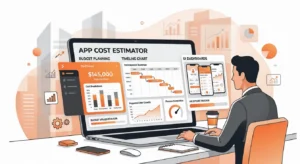
Pricing for custom mobile app development varies based on scope, complexity, platform choice, and the agency’s location and structure. The ranges below reflect typical market estimates for custom app development in the Dallas area in 2026. They are not guaranteed quotes. Actual project cost depends on your specific requirements.
Cost by Project Type
| App Type | Estimated Cost Range (Dallas) | Typical Timeline |
| MVP / Proof of Concept | $10,000 to $25,000 | 6 to 10 weeks |
| Simple App (2 to 4 screens) | $15,000 to $30,000 | 8 to 12 weeks |
| Mid-Range App (multi-feature) | $30,000 to $60,000 | 12 to 20 weeks |
| Enterprise / Complex App | $60,000 to $150,000+ | 20 to 40 weeks |
| Cross-Platform (React Native / Flutter) | $20,000 to $50,000 | 10 to 18 weeks |
What Drives Cost Variation
Platform Strategy
Building for iOS and Android separately is more expensive than a cross-platform approach. React Native and Flutter allow both platforms to be covered from one codebase, which reduces both initial build cost and ongoing maintenance effort. For most business applications, this is the more practical choice.
Feature Complexity
- Basic features such as user registration, profile management, and content listings are relatively straightforward and cost-effective to build.
- Medium-complexity features such as in-app payments, real-time data, maps and location services, and notification systems require more planning and integration time.
- High-complexity features such as AI/ML integration, augmented reality, IoT connectivity, or video streaming significantly increase both build time and cost.
Design Depth
A custom design system with thorough UX research and interactive prototyping costs more than adapting a UI template. However, design investment typically reflects in user retention and App Store ratings, which affect long-term product value.
Backend and Infrastructure
Apps that require custom APIs, real-time data synchronization, complex data models, or enterprise system integrations have higher backend costs than simpler applications with limited server-side logic.
Post-Launch Support
Most apps require ongoing maintenance after launch. This includes OS compatibility updates, security patches, performance monitoring, and iterative feature development. Factoring ongoing support into your budget from the start avoids gaps in coverage.
| Industry Insight:Businesses that budget only for the initial build and not for post-launch maintenance often face unexpected costs when iOS or Android OS updates affect their app. Planning for an ongoing maintenance budget is a practical step that protects your initial investment. |
How to Build a Mobile App Development Team
Whether you are partnering with an agency, building in-house, or using a hybrid model, understanding the core roles in a mobile app project helps you evaluate proposals, ask better questions, and manage the engagement effectively.
For role-by-role hiring criteria and interview questions, see the full How to Build a Mobile App Development Team guide.
Core Roles
Product Manager or Project Manager
Owns the product roadmap, manages stakeholder communication, and translates business requirements into actionable development tasks. This role is the connective tissue between your business goals and the technical team. Projects without a strong PM tend to drift in scope, miss deadlines, or miscommunicate expectations.
UX Researcher and UI Designer
The UX researcher works to understand user behavior, identify friction points, and inform design decisions with evidence rather than assumption. The UI designer translates that understanding into visual interfaces. In agency settings, these roles are often combined or handled in close collaboration.
Mobile Developers
- iOS developer (Swift/SwiftUI): builds native iPhone and iPad experiences with full access to Apple APIs.
- Android developer (Kotlin/Jetpack Compose): builds native Android experiences with Google’s recommended toolset.
- React Native developer: builds cross-platform apps from a shared JavaScript/TypeScript codebase.
- Flutter developer: builds cross-platform apps using Dart with a custom rendering engine for pixel-perfect results.
Backend Developer
Responsible for the server-side architecture: APIs, databases, authentication systems, and cloud infrastructure. A backend developer with cloud experience is essential for apps that need to scale, handle sensitive data, or integrate with enterprise systems.
QA Engineer
Tests the application across devices, operating systems, and user scenarios. A dedicated QA role, rather than ad-hoc developer testing, tends to produce better pre-launch quality and fewer post-launch support issues.
DevOps and Cloud Engineer
Sets up and maintains the deployment pipeline, cloud infrastructure, and monitoring systems. For smaller projects, this role is often handled by a senior backend developer. For larger projects, a dedicated DevOps function reduces deployment risk and improves reliability.
Team Structure Comparison
| Metric | Value |
| In-House Team | Full control and institutional knowledge. High overhead and slow to scale. |
| Agency Partner | Faster startup, full-stack capability, lower overhead than in-house. Less institutional context over time. |
| Freelancers | Lower per-hour cost. Higher coordination overhead. Variable quality and accountability. |
| Hybrid Model | In-house PM managing an external agency team. Balances control with efficiency. |
Practical Hiring Criteria
- Review live apps in the App Store or Google Play, not just screenshots or case study PDFs.
- Request client references, ideally from businesses of similar size or in a similar industry.
- Ask specifically about post-launch support: what is covered, for how long, and at what cost.
- Evaluate communication quality during initial conversations. It predicts how communication will function throughout the project.
- Request an itemized estimate, not a single ballpark number.
- Consider a short paid discovery engagement before committing to a full project.
| Expert Insight:Communication breakdown is one of the most frequently cited reasons for mobile app projects running over budget or timeline. Clear communication expectations, defined review points, and regular progress visibility are practical safeguards worth building into any engagement. |
Best Mobile App Development Frameworks and Languages in 2026
Framework selection affects development speed, long-term maintainability, talent availability, and total cost. There is no universal best choice. The right framework depends on your product requirements, team, and business constraints.
For a deeper technical comparison including benchmark data, see our Best Mobile App Development Languages 2026 guide.
Framework Comparison
| Framework | Type | Key Strengths | Best Fit |
| React Native | Cross-Platform | Near-native performance, JS/TS ecosystem, large community | Startups, MVPs, eCommerce, content apps |
| Flutter (Dart) | Cross-Platform | Pixel-perfect UI, Impeller renderer, consistent across platforms | Design-driven apps, fintech, healthcare |
| Swift / SwiftUI | iOS Native | Full Apple API access, best-in-class iOS performance | iOS-only premium or hardware-integrated apps |
| Kotlin / Jetpack Compose | Android Native | Modern, concise, deep Android system integration | Android enterprise or device-specific apps |
| Node.js / Python | Backend | Scalable REST/GraphQL APIs, AI/ML integration, real-time support | App backend and server-side services |
Framework Selection Guidance
- React Native is a strong default for most teams with JavaScript experience who need to cover both iOS and Android efficiently. It has a large community, mature ecosystem, and works well for most business application categories.
- Flutter is a strong choice when UI consistency across platforms is a core requirement, or when the app involves complex animations and custom interface elements. Dart has a smaller talent pool than JavaScript, which is worth factoring into hiring plans.
- Swift (native iOS) makes sense when the app must deeply integrate with Apple hardware or system features, or when iOS performance is the single most important requirement.
- Kotlin (native Android) makes sense for Android-first enterprise applications or when deep Android system integration is required.
- Combining native iOS and Android development is possible but roughly doubles the front-end development cost and ongoing maintenance effort. It is appropriate when maximum platform-specific performance is genuinely required.
| Industry Insight:For the majority of business applications in 2026, the performance difference between cross-platform and native development is not meaningful to end users. The practical advantages of a single codebase including lower cost, faster delivery, and simpler maintenance make cross-platform the more pragmatic starting point. |
React Native App Development: A Practical Guide
React Native is one of the most widely used cross-platform frameworks in production mobile applications. This section covers how it works, when to use it, and what to look for when evaluating React Native development capability.
For architecture details, state management patterns, and real project examples, see the full React Native Mobile App Development guide.
How React Native Works
React Native is an open-source framework maintained by Meta that allows developers to write mobile applications in JavaScript and React. Unlike web-based hybrid frameworks, React Native renders actual native UI components on each platform, not web views. This gives it a performance profile closer to native than browser-rendered approaches.
The New Architecture in 2026
React Native’s updated architecture, which replaced the legacy Bridge with a JavaScript Interface (JSI), has been production-ready since 2024 and is now standard in professional React Native projects. The key changes include:
- JavaScript Interface (JSI): allows JavaScript to call native functions synchronously, eliminating the serialization bottleneck of the previous Bridge system.
- Fabric Renderer: enables concurrent UI updates aligned with React 18’s concurrency model, which improves responsiveness under load.
- TurboModules: native modules are loaded on demand rather than at startup, which improves initial load performance.
- Codegen: automatically generates type-safe bridge code from typed interfaces, reducing integration errors.
| Industry Insight:React Native’s architecture improvements have meaningfully closed the gap with native performance. Applications built with the New Architecture and proper optimization are, in most cases, indistinguishable in feel from their fully native counterparts. |
When React Native Is a Good Fit
- You need to cover both iOS and Android with one development team.
- Your team has React or JavaScript experience.
- Time to market is a significant constraint.
- Your app involves standard UI patterns rather than custom rendering-intensive experiences.
- You want to share logic between a web app and a mobile app.
What a Strong React Native Team Looks Like
- TypeScript-first codebase for type safety and maintainability.
- Clear state management approach using Redux Toolkit, Zustand, or Jotai depending on complexity.
- Navigation using React Navigation with deep linking support.
- Native module integration for device features such as camera, biometrics, and Bluetooth.
- Performance monitoring using Flipper and React DevTools Profiler.
- Automated testing including unit tests, component tests, and end-to-end tests via Detox.
Estimated Costs for React Native Development in Dallas
| Metric | Value |
| React Native MVP (3 to 5 screens) | Estimated $15,000 to $25,000 in 6 to 8 weeks |
| React Native Mid-Range App | Estimated $25,000 to $55,000 in 10 to 18 weeks |
| React Native Enterprise App | Estimated $55,000 to $120,000 in 18 to 30 weeks |
| Typical Hourly Rate in Dallas | $85 to $130 per hour |
Note: These are estimated market ranges. Actual costs depend on specific feature requirements, integrations, and design complexity.
How to Hire a Flutter App Developer
Flutter has seen strong adoption growth and is now a mainstream option for cross-platform mobile development. If you are considering Flutter for a project, this section covers what to look for when hiring a Flutter developer or evaluating a Flutter development team.
For a complete hiring checklist and technical screening questions, see our Hire Flutter App Developer guide.
What Makes Flutter Different
Flutter, developed by Google, uses the Dart programming language and its own rendering engine called Impeller. Unlike React Native, which uses native platform components, Flutter draws every UI element itself. This means the app looks and behaves consistently across iOS, Android, Web, Desktop, and other platforms without depending on platform-specific UI components.
- Custom rendering means pixel-perfect consistency across all target platforms.
- Hot reload allows developers to see interface changes in near real time during development.
- A growing library of pre-built widgets (both Material and Cupertino) reduces the time needed for standard UI patterns.
- Strong typing in Dart reduces runtime errors and improves IDE support and refactoring capability.
Flutter vs React Native: A Practical Comparison
| Comparison Area | Stronger Option and Reason |
| UI Consistency | Flutter (custom rendering engine draws every pixel identically) |
| JS Ecosystem Leverage | React Native (uses JavaScript and TypeScript) |
| Raw Performance | Flutter slightly ahead with Impeller renderer |
| Community and Packages | React Native (larger, more mature ecosystem) |
| Developer Availability | React Native (larger global talent pool) |
| Animation and Custom UI | Flutter (superior animation system and widget flexibility) |
| Best Use Case | Flutter for design-driven apps. React Native for feature-driven apps. |
| Industry Insight:Choosing between Flutter and React Native is less about which is objectively better and more about which fits your team, product, and timeline. Both are legitimate production choices in 2026. The more important factor is the experience and quality of the team building the application. |
A Practical Flutter Hiring Process
- Define your project scope and requirements clearly before beginning any hiring or agency evaluation process.
- Evaluate Dart proficiency and Flutter-specific knowledge: state management (Riverpod, Bloc, or Provider), widget lifecycle, and build context handling.
- Review live Flutter apps the candidate or agency has shipped. Test them on actual devices across both iOS and Android.
- Assess architecture understanding: look for knowledge of Clean Architecture, the Repository Pattern, and how to structure large Flutter projects.
- Screen for platform channel experience, which is needed for accessing native device features not covered by existing Flutter packages.
- Evaluate communication and documentation practices. A Flutter team that cannot explain its approach clearly is harder to work with over a long engagement.
- Start with a short paid engagement such as a discovery sprint or technical assessment before committing to a full project.
Signs of a Strong Flutter Development Team
- Uses Flutter 3.27+ and Dart 3 with null safety throughout the codebase.
- The state management approach is consistent and appropriate for the project’s scale.
- Backend integration is clean and testable using repository pattern or similar abstraction.
- CI/CD pipeline is configured using Fastlane or GitHub Actions for reliable automated deployment.
- Has shipped Flutter apps that are live in both the App Store and Google Play, not just prototype builds.
How to Evaluate Mobile App Development Companies in Dallas
Dallas has a range of app development agencies, from small boutique studios to larger full-service firms. The quality, capability, and fit vary significantly. This section provides a practical framework for evaluating any agency you are considering.
Portfolio Quality
The most reliable indicator of an agency’s capability is a portfolio of live applications that you can download and test. Case study PDFs and mockups are not sufficient. Ask specifically for links to apps available in the App Store or Google Play that the agency built and can verify.
- Test the app yourself: is it fast, intuitive, and polished?
- Check the App Store rating and review volume. A live app with sustained ratings reflects real user satisfaction.
- Ask how recently the app was updated. Regular updates indicate an ongoing maintenance relationship, which reflects well on the agency.
Pricing Transparency
A credible agency should be able to provide an itemized estimate after a discovery conversation. Vague ballpark figures without breakdown make it difficult to understand scope or compare proposals meaningfully.
- Request a line-item estimate that separates UX/design, frontend, backend, QA, and project management.
- Ask how change requests are handled and priced.
- Understand the payment structure: milestone-based, monthly retainer, or time and materials.
Post-Launch Support
An app requires ongoing maintenance after launch. Before signing any agreement, understand what post-launch support is included, what is billed separately, and what the response time commitments are for different issue types.
- Ask whether OS compatibility updates are included in a support plan or billed as separate projects.
- Understand the bug fix SLA: how quickly does the agency respond to critical issues after launch?
- Check whether analytics setup, crash monitoring, and performance reviews are part of the engagement.
Communication Process
Communication quality during the initial evaluation often predicts how communication will function throughout the project. Assess whether the agency asks good questions, listens before proposing, and responds in a timely and clear manner.
- How frequently will you receive project updates?
- Who is your primary point of contact, a project manager or a developer?
- What tools are used for project tracking and communication?
Local Market Understanding
For businesses targeting Texas consumers or operating in regulated local markets such as healthcare, real estate, or financial services, an agency with relevant local experience may have practical advantages over a geographically distant team.
Technical Depth
Evaluate whether the agency can articulate its technical approach clearly. Ask about its preferred frameworks, how it handles backend architecture, what its QA process looks like, and how it approaches security. Vague or evasive answers to technical questions are a warning sign.
IP Ownership
Before signing any contract, confirm that you will own all code, design assets, and data produced during the project. This is standard practice, but some contracts include licensing clauses or IP retention provisions that may be unfavorable. Have contracts reviewed before signing.
Discovery Process Quality
The quality of an agency’s discovery process often predicts the quality of the project overall. An agency that moves directly to quotes without understanding your users, goals, and constraints is more likely to produce a product that does not meet your needs.
| Expert Insight:The agencies that tend to produce the best outcomes are those that spend meaningful time in discovery before proposing a solution. This includes asking about your users, your business model, your existing tech stack, and your go-to-market plan, not just the feature list. |
Why Businesses Consider VirtueNetz for Mobile App Development in Dallas
VirtueNetz is a full-service app development agency based in Dallas with over 14 years of experience building web and mobile applications. It is one option worth evaluating for businesses looking for a local development partner with broad technical capability.
This section outlines what VirtueNetz offers and how it approaches mobile projects, so you can assess whether it is a good fit for your needs.
To discuss a project… visit the mobile app development company in Dallas.
Technical Capability
VirtueNetz’s technical team covers the full application development stack:
- Mobile: Swift, Kotlin, React Native, Flutter
- Backend: Node.js, Python, PHP/Laravel, Java
- Frontend web: React.js, Next.js, Angular, Vue.js
- AI and ML: OpenAI API, LangChain, TensorFlow, PyTorch
- Database: PostgreSQL, MySQL, MongoDB, Firebase, Redis
- Cloud: AWS, Microsoft Azure, Google Cloud Platform
- DevOps: Docker, Kubernetes, GitHub Actions, Terraform
Industries and Experience
VirtueNetz has delivered projects across healthcare, logistics, retail, financial services, real estate, and education. This industry range is relevant if your project involves domain-specific requirements such as HIPAA compliance, regulated data handling, or enterprise system integration.
Engagement Models
VirtueNetz offers several engagement structures depending on project type and client preference:
| Engagement Model | Best Suited For |
| Fixed-Price Project | Well-defined scope, clear deliverables, predictable cost and timeline. |
| Time and Materials | Evolving or complex scope where requirements may shift during development. |
| Dedicated Team | Ongoing product development where you need a long-term technical partner. |
| Discovery Sprint | Idea validation before full commitment. Typically 1 to 2 weeks. |
Project Approach
VirtueNetz follows an agile development process with sprint-based delivery, regular client demos, and structured project management. Post-launch support packages are available with defined response time commitments.
| Case Study:VirtueNetz delivered a Flutter-based permit and compliance management application for an industrial operations client. The project replaced a paper-based field process with a real-time digital workflow, reducing processing time and compliance-related incidents. The app is live on both iOS and Android. |
To discuss a project or request an estimate, visit the Mobile App Development Company Dallas page or reach out through the contact page.
Frequently Asked Questions
How much does it cost to build a mobile app in Dallas in 2026?
Estimated costs in the Dallas market range from around $15,000 for simple custom apps to $150,000 or more for complex enterprise applications. A typical MVP or proof of concept falls in the $10,000 to $25,000 range. Actual pricing depends on the number of screens, feature complexity, platform choice, and backend requirements. Any agency should be able to provide an itemized estimate after a discovery conversation.
How long does it take to develop a mobile app?
A simple app typically takes 8 to 12 weeks from discovery to launch. A mid-range application with multiple feature sets takes 12 to 20 weeks. Complex enterprise applications can take 20 to 40 weeks or more. Timeline depends heavily on scope, decision speed, and how clearly requirements are defined at the start.
Should I build a native app or a cross-platform app?
For most business applications, cross-platform development using React Native or Flutter is a practical starting point. It covers both iOS and Android from one codebase, which reduces cost and development time. Native development (Swift for iOS, Kotlin for Android) is worth considering when the app requires deep hardware-level integration or maximum platform-specific performance.
What is the difference between React Native and Flutter?
React Native uses JavaScript or TypeScript and renders native platform components. Flutter uses Dart and a custom rendering engine that draws every pixel directly. React Native is easier to staff if your team has web development experience. Flutter tends to produce more consistent UI results across platforms. Both are strong options in 2026 for most business use cases.
How do I choose the right mobile app development company in Dallas?
Evaluate agencies based on live app portfolio quality, pricing transparency, post-launch support terms, communication process, and technical depth. Ask for references from previous clients. Confirm IP ownership terms in any contract before signing. A short paid discovery engagement before committing to a full project is a practical way to assess fit.
How do I hire a Flutter developer?
Look for demonstrable Dart proficiency, live Flutter apps that are testable on actual devices, a clear state management approach, and experience with platform channels for native feature access. Agencies provide a team structure that includes QA, project management, and DevOps alongside the Flutter developer, which reduces coordination overhead compared to hiring freelancers.
What is App Store Optimization and does it matter?
App Store Optimization (ASO) involves optimizing the metadata, screenshots, and descriptions of your app listing to improve discoverability and conversion in the App Store and Google Play. It matters because organic search within app stores is a significant discovery channel for many app categories. ASO should be part of your launch plan, not an afterthought.
Does VirtueNetz provide post-launch support?
Yes. VirtueNetz offers post-launch support packages that cover OS compatibility updates, security patches, performance monitoring, and bug fixes. Support terms and response time commitments are defined before the project begins.
| Ready to Build a Mobile App in Dallas?Talk to VirtueNetz’s mobile app team for a free discovery consultation, platform recommendation, and a tailored project estimate based on your goals, budget, and timeline. |