Artificial intelligence (AI) has moved from being a futuristic concept to a practical tool that businesses of all sizes can use today. Whether you run an e-commerce store, a corporate website, or a SaaS platform, integrating AI into your website can transform the way you interact with visitors, automate workflows, and increase conversions.
But AI integration isn’t just about adding a chatbot or recommendation engine. It’s about creating smarter, more personalized experiences for users while making your business processes more efficient.
In this guide, we’ll walk you through what AI website integration means, why it matters, and how you can add AI to a website step by step.
What Does It Mean to Integrate AI Into a Website?
Integrating AI into a website means connecting intelligent systems and algorithms with your site to analyze data, automate tasks, and deliver personalized experiences to visitors.
This can involve:
- AI-powered chatbots for customer support.
- Personalized product or content recommendations.
- Predictive analytics for better business decisions.
- Voice search and natural language processing (NLP).
- AI-driven security systems to detect suspicious activity.
In simple terms, AI website integration turns your website from a static online brochure into a dynamic, self-learning platform that adapts to user behavior in real time.
Why AI Website Integration Matters
The digital landscape is competitive, and user expectations are higher than ever. Traditional websites rely heavily on human input and static content. AI-powered websites, on the other hand, continuously optimize and automate processes, providing a clear competitive edge.
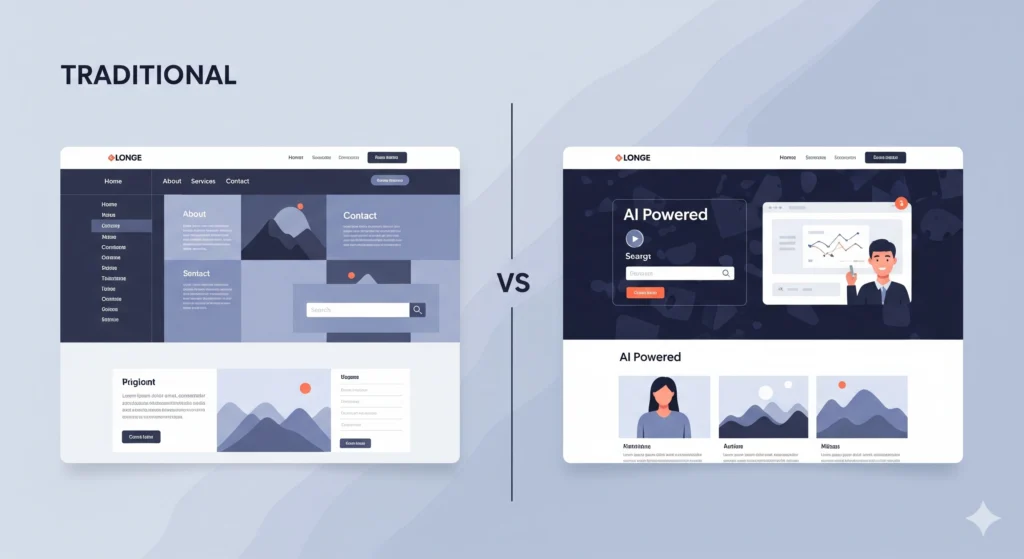
Here’s a quick comparison:
| Feature | Traditional Website | AI-Integrated Website |
| Customer Support | Manual support via emails or calls | Automated 24/7 chatbots |
| User Experience | Same experience for all users | Personalized experiences based on behavior |
| Data Handling | Basic analytics and manual reporting | Predictive analytics and smart insights |
| Marketing Automation | Manual campaigns | AI-driven personalized campaigns |
| Scalability | Limited by team capacity | Scales easily with automation |
Key takeaway: Adding AI to a website allows you to deliver faster, smarter, and more efficient services, improving both customer satisfaction and business growth.
Practical Use Cases of AI Website Automation
Here are some real-world examples of how businesses are using AI on their websites:
- AI Chatbots for Customer Support
Example: E-commerce stores like Shopify use AI chatbots to handle FAQs, returns, and product recommendations.
Tool Suggestion: Tidio, Zendesk AI.
For tailored solutions, businesses are also building fashion store AI chatbots and food delivery chatbots to improve customer interactions.
- Personalized Product Recommendations
Example: Amazon uses AI to analyze browsing behavior and suggest products users are more likely to buy.
Tool Suggestion: Dynamic Yield.
If you want deeper personalization aligned with your brand, working with an AI ML development company can help you design a recommendation engine tailored to your data. - Voice Search Integration
Example: Travel websites like Booking.com offer AI voice search features for faster booking.
Tool Suggestion: Google’s Speech-to-Text API. - AI-Powered Content Generation
Example: SaaS companies like Jasper AI use content generation tools to create landing page copy dynamically. - Fraud Detection and Security
Example: Banking websites integrate AI to detect unusual transactions and prevent fraud.
Tool Suggestion: Sift.
Step-by-Step Guide to Integrate AI Into Your Website
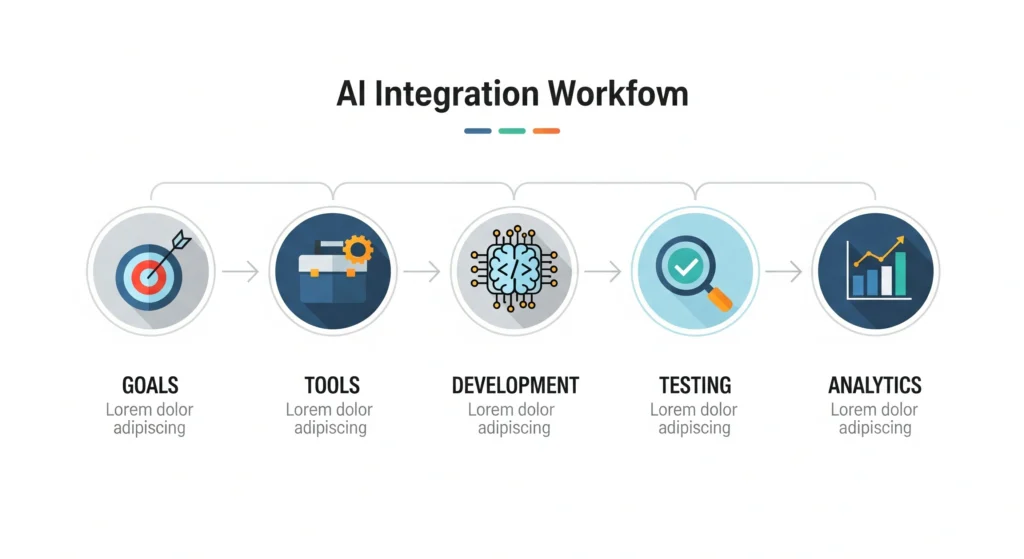
Adding AI to your website can seem overwhelming, but breaking it down into steps makes it manageable.
Step 1: Identify Your Website Goals
Before you choose any AI tool, clearly define what you want to achieve.
- Do you want to improve customer support?
- Increase sales through personalization?
- Automate repetitive workflows?
Example:
An online fashion retailer may focus on AI-powered recommendations to boost average order value.
Step 2: Choose the Right AI Tools
Your choice of tools will depend on your goals. Here’s a breakdown:
|
Goal |
Recommended AI Tool |
|
Chatbot integration |
Tidio, Drift, ManyChat |
|
Personalization |
Dynamic Yield, Optimizely |
|
Marketing automation |
HubSpot AI, ActiveCampaign AI |
|
Analytics and insights |
Google Analytics Intelligence |
| Fraud detection |
Sift, Kount |
For businesses that want more than plug-and-play tools, partnering with an AI software development company in NYC can help create custom solutions.
Step 3: Prepare Your Website for AI Integration
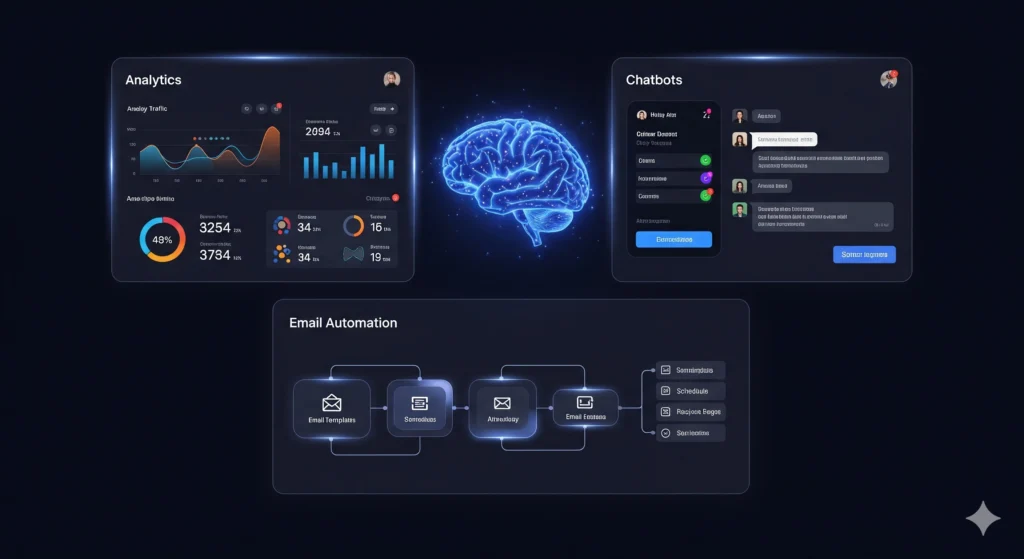
Your website must have the right infrastructure to support AI:
- A clean, scalable codebase (e.g., React, Django, or Laravel).
- Data storage and APIs for communication.
- SSL certificate for secure data transfer.
- Mobile optimization since AI features often rely on user behavior tracking.
If you’re unsure where to start, an AI website development company in California can ensure your platform is AI-ready.
Step 4: Integrate AI Features
Depending on the tool, integration can happen via:
- Plugins or widgets: For WordPress or Shopify websites.
- APIs: Most AI services like Google Cloud AI or OpenAI provide APIs for custom integration.
- Custom development: For advanced, tailor-made AI solutions.
Example:
If you’re integrating an AI chatbot:
- Sign up with a provider like Tidio or Drift.
- Install the plugin or embed a code snippet into your website.
- Configure chatbot workflows to handle specific customer questions.
Step 5: Test and Optimize
After integration:
- Test every feature thoroughly.
- Use A/B testing to compare performance before and after AI integration.
- Collect feedback from users and refine the AI model over time.
Step 6: Monitor Performance with Analytics
AI thrives on continuous improvement.
- Track user behavior with tools like Google Analytics and Hotjar.
- Measure KPIs such as conversion rate, bounce rate, and customer satisfaction.
- Use AI-driven reporting to identify trends.
To ensure ROI, businesses often work with an AI marketing consultant in Dallas who can align analytics with growth strategies.
Best Practices for Successful AI Website Integration
- Start Small:
Begin with one feature, like a chatbot, then expand to personalization or automation. - Ensure Data Privacy:
Follow GDPR or other relevant data protection laws when using AI. - Keep It User-Friendly:
AI features should enhance, not overwhelm, the user experience. - Focus on Speed:
AI features shouldn’t slow down your website’s loading time. - Work with Experts:
If you don’t have in-house expertise, partner with professionals such as a Boston AI consulting agency or explore custom AI solutions in Boston for a smooth deployment.
Common Mistakes to Avoid
- Adding too many AI features at once, which can confuse users.
- Ignoring mobile optimization.
- Choosing tools without clear ROI.
- Neglecting regular updates and maintenance.
FAQs About Integrating AI Into Websites
- How much does it cost to integrate AI into a website?
It depends on the complexity. Simple chatbot integrations can cost as little as $50/month, while custom AI solutions may range from $5,000 to $50,000. - Can I add AI to my existing website?
Yes. Most AI features are API-based and can be added to existing websites with minimal coding. - Do I need to know coding to integrate AI?
Not necessarily. Many tools offer no-code integrations, though advanced features may require developer support. - What industries benefit most from AI website automation?
E-commerce, healthcare, finance, education, and SaaS businesses see the most value.
Conclusion: Take Your Website to the Next Level with AI

AI is no longer optional — it’s becoming essential for modern websites. By integrating AI into your website, you can deliver personalized experiences, automate workflows, and gain actionable insights that drive business growth.
Whether you start small with a chatbot or go big with predictive analytics, the key is to align AI with your business goals and user needs.
Ready to take the first step?
Contact VirtueNetz today to build a smarter, AI-powered website that sets you apart from the competition.
 ?>
?>
 ?>
?>
 ?>
?>
 ?>
?>
 ?>
?>