Choosing a programming language for your mobile app is one of the most critical decisions you’ll make. It directly impacts development speed, performance, and long-term maintenance.
Your choice sets the foundation for your entire project, whether you’re building in-house or working with external mobile app development services. This guide breaks down the top mobile app development languages, helping you understand their strengths, weaknesses, and ideal use cases.
What Makes a Great Mobile App Development Language?
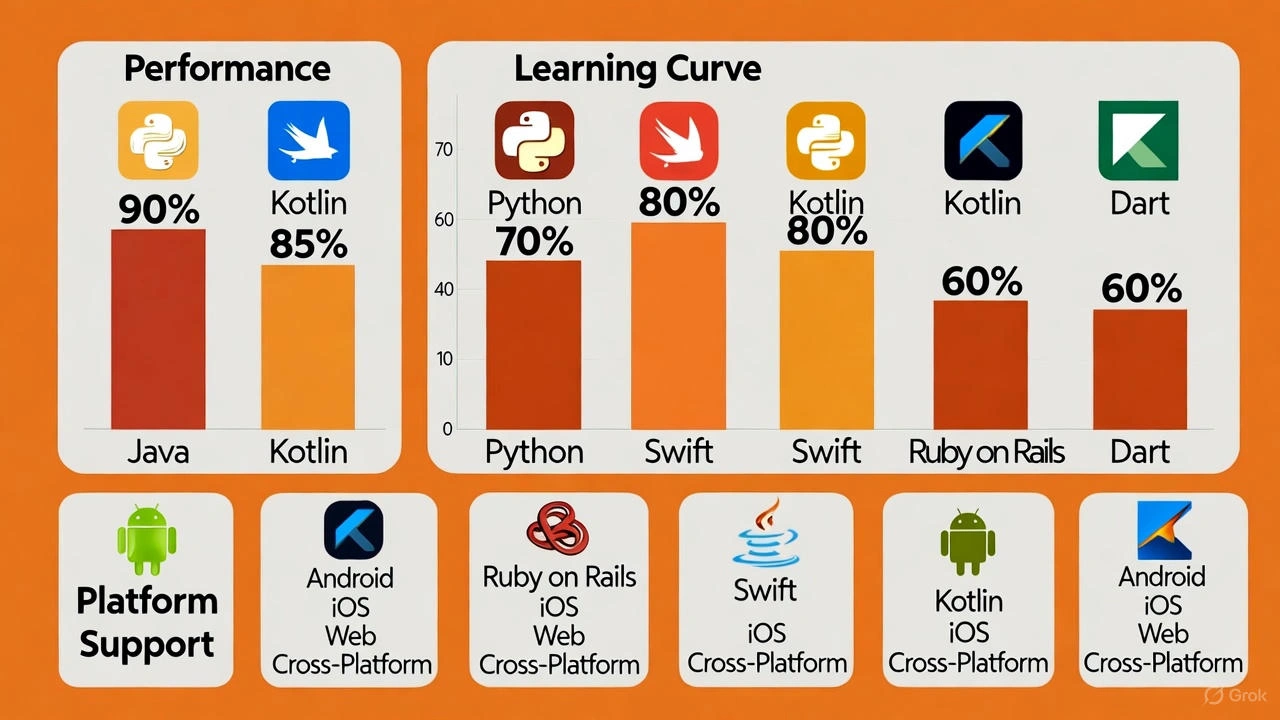
Before comparing specific languages, it’s important to know what criteria matter most. When evaluating a language for your mobile app, consider these key factors:
- Platform Support: Does the language build for iOS, Android, or both?
- Performance: Does it compile to native code for maximum speed, or does it run through an interpreter?
- Ecosystem: Are there mature frameworks and libraries for building user interfaces (UIs), accessing device features, and handling network requests?
- Community Support: Is there a large, active community of developers who can answer questions and provide solutions?
- Future-Proofing: Is the language actively maintained and likely to be supported for years to come?
- Developer Productivity: How quickly can your team build and ship meaningful features?
The right language aligns with your project goals, target platforms, and team skills. Making the wrong choice can lead to slower development and higher costs down the line.
Java: The Enduring Choice for Android
Java has been a cornerstone of Android app development since the platform’s inception. Its longevity has created a massive ecosystem of tools, libraries, and community knowledge that remains valuable today.
Strengths of Java for Mobile App Development
- Mature and Stable: Countless Android apps have been successfully built with Java, ensuring a high degree of stability and a wealth of existing solutions.
- Vast Library Ecosystem: You can find a library for almost any function, from networking and databases to complex user interfaces.
- Large Talent Pool: Many developers are proficient in Java, which can make it easier to staff your project.
- Solid Performance: When optimized correctly, Java delivers excellent performance for native Android applications.
Weaknesses of Java
- Verbose Syntax: Compared to more modern languages, Java code can be lengthy and require more lines to accomplish the same tasks.
- Lacks Modern Features: Newer languages like Kotlin offer more streamlined features, such as built-in null safety and more concise code.
When to Use Java
Java is a strong choice when you are building a native, Android-only app and prioritize stability. It’s also the logical option if your team has an existing Java codebase or deep expertise in the language.
Example case
Suppose a client wants an Android-only logistics tracking app, using Android devices commonly used by their staff. The team already knows Java. Using Java makes sense: strong ecosystem, existing skills, cost‐effective.
Python: Flexibility Meets Mobile (With a Few Trade-Offs)
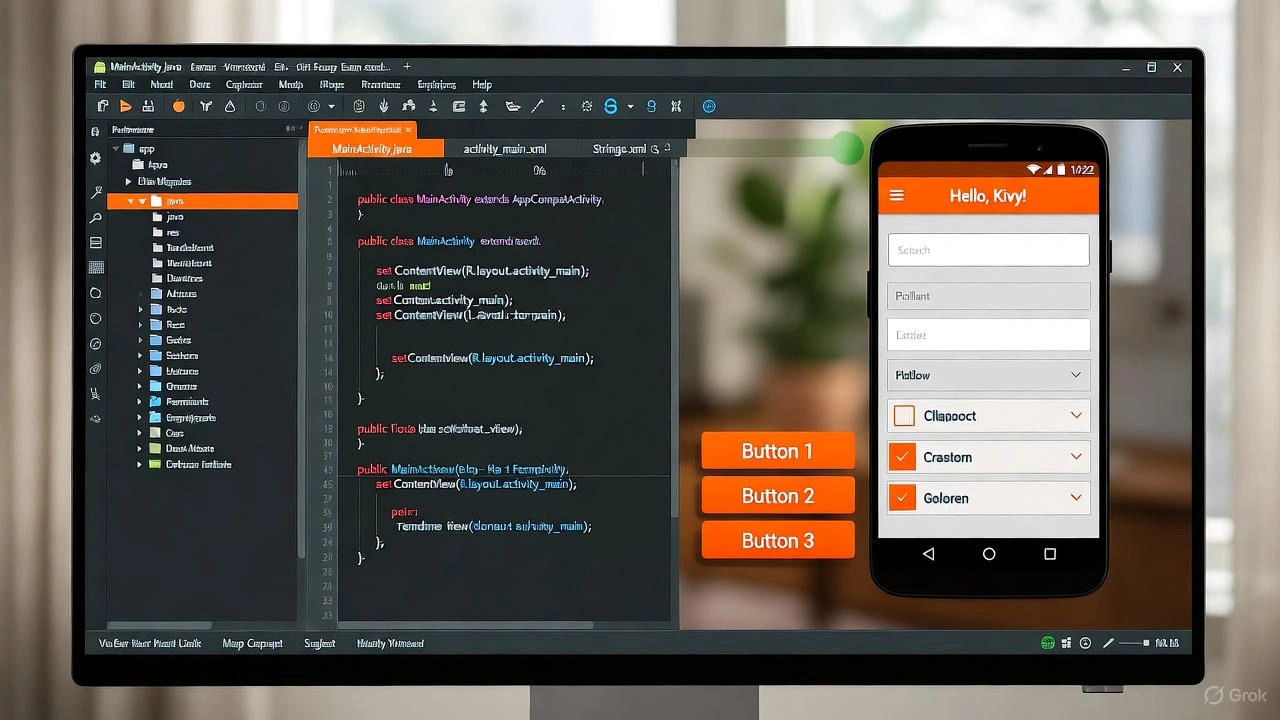
While not a traditional choice for front-end mobile development, Python has found a niche in the mobile world. Through frameworks like Kivy and BeeWare, developing mobile apps in Python is a viable option for specific types of projects.
Strengths of Python
- Rapid Development: Python’s simple and clean syntax is excellent for quick prototyping and building apps with complex back-end logic.
- Powerful for Data: If your app involves data analysis, machine learning, or scientific computing, Python’s extensive libraries are a major advantage.
- Code Reusability: Logic written in Python can often be reused across a web server, desktop app, and mobile app.
Weaknesses of Python
- Limited Native Feel: UIs built with Python frameworks may not feel as smooth or look as native as those built with platform-specific languages.
- Complex Build Process: Packaging a Python app for the iOS App Store or Google Play can be more complicated than with standard languages.
- Performance: As an interpreted language, Python may not match the raw performance of compiled languages like Swift or Kotlin, especially for UI-heavy tasks.
When to Use Python
Consider developing mobile apps in Python when the core of your application is its logic, not its interface. It’s ideal for data-heavy apps where a slightly less polished UI is an acceptable trade-off for faster development and powerful backend capabilities.
Example case
Imagine you have a mobile app that monitors environmental sensor data and provides analytics dashboards. The UI can be simpler, and a Python framework suffices for mobile. You might build the data logic in Python and reuse it for a desktop tool too.
Ruby on Rails: Powering the Backend of Mobile Apps
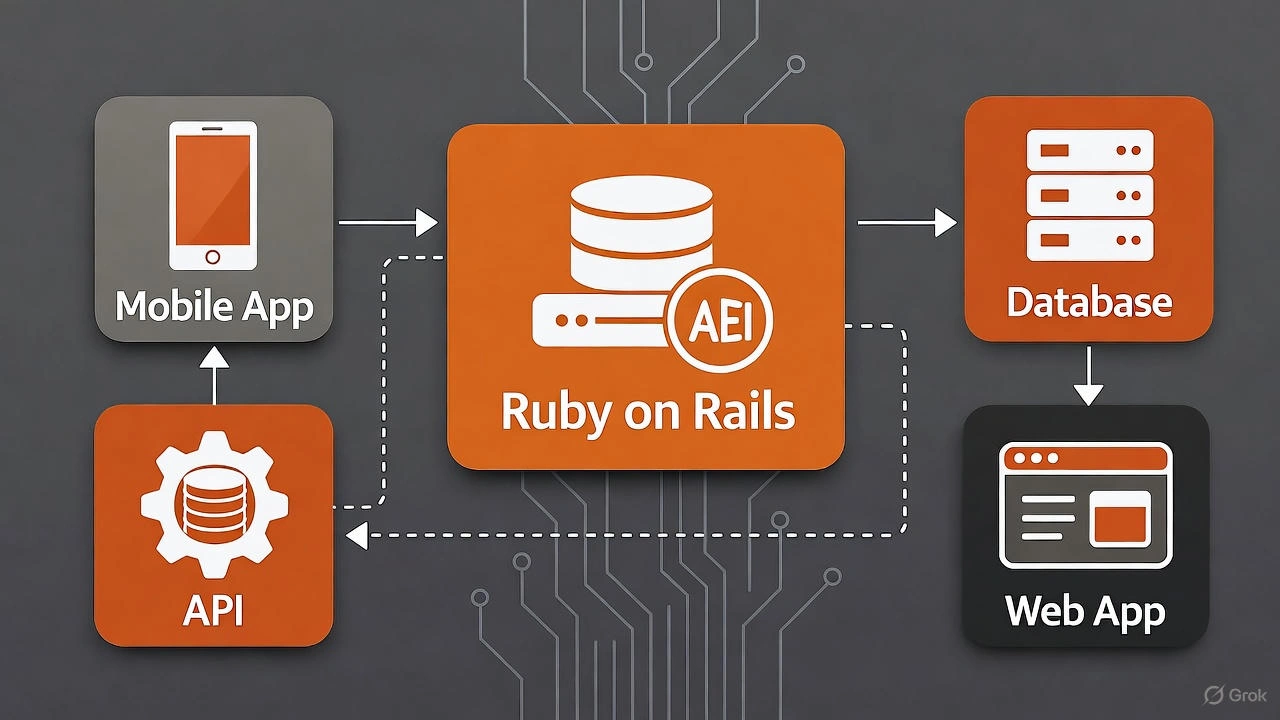
Ruby on Rails is primarily a web development framework, but it plays a crucial role in the mobile ecosystem as a powerful backend solution. While you won’t use it to build your mobile UI directly, Ruby on Rails mobile app development is about creating the robust server-side infrastructure that powers your app.
Strengths of Ruby on Rails
- Rapid API Development: Rails is designed for developer productivity, making it one of the fastest ways to build the APIs your mobile app needs to function.
- Clean and Readable Code: Ruby’s elegant syntax makes the codebase easy to maintain and understand.
- Strong Ecosystem: A vast collection of “gems” (libraries) simplifies common tasks like user authentication, data management, and third-party integrations.
Weaknesses of Ruby on Rails for Mobile UI
- Not for Native UIs: Rails is not designed for creating native mobile interfaces. You’ll need a separate front-end codebase for your iOS or Android app.
- Mobile-Focused Resources are Scarce: The community and documentation are overwhelmingly focused on web development.
When to Use Ruby on Rails
Use Ruby on Rails for your mobile project when you need to build a complex, data-driven backend quickly. It’s a perfect fit if your team already has Rails expertise and your mobile app functions as a client for a larger web service.
Example case
Your team uses Rails extensively for the web, and you are building a companion mobile app that mostly surfaces the same business logic via APIs. The UI is moderate. Using Rails for backend + a hybrid front end (e.g., React Native or similar) makes sense.
Other Key Languages & Frameworks to Consider
Your options don’t end with Java, Python, and Ruby. Several other languages and frameworks are shaping the future of mobile development.
- Kotlin: Now Google’s official language for Android development, Kotlin is fully interoperable with Java but offers a more modern, concise, and safer syntax. For new Android projects, Kotlin is the recommended choice.
- Swift: Created by Apple, Swift is the modern language for building iOS apps. It’s fast, safe, and deeply integrated into the Apple ecosystem. Use Swift for any native iOS-only application.
- Dart (with Flutter): Google’s Flutter framework, powered by the Dart language, enables you to build beautiful, high-performance apps for iOS, Android, and the web from a single codebase.
- JavaScript/TypeScript (with React Native): This popular framework allows web developers to use their existing skills to build native-rendered mobile apps. It’s a great choice for teams that want one codebase for both platforms.
- C# (with .NET MAUI): For teams invested in the Microsoft ecosystem, C# and .NET MAUI (the evolution of Xamarin) provide a way to build cross-platform apps while sharing code and business logic.
How to Choose the Right Language: A Step-by-Step Guide
- Define Your Requirements: Which platforms do you need to support? What level of performance is essential? What are your budget and timeline? What skills does your team already possess?
- Evaluate Candidates: Create a short list of languages that fit your requirements. Compare them based on ecosystem, community support, and long-term maintainability.
- Build a Prototype: Create a small proof-of-concept with your top one or two choices. This is the best way to evaluate developer experience and real-world performance.
- Make an Informed Decision: Select the language that best balances your project’s needs, your team’s skills, and your long-term goals.
Choosing the right language isn’t one-size-fits-all. Here’s how to pick based on your scenario:
| Use Case | Best Language(s) | Why |
| Android-only native app, strong performance required | Java or Kotlin | Native platform, full SDK access, strong ecosystem |
| iOS-only native app | Swift | Designed for Apple devices, best integration |
| Both iOS and Android, one codebase | Dart/Flutter or JavaScript/React Native | Cross-platform, faster delivery |
| Backend logic-heavy mobile app, simpler UI | Python or Ruby (for backend) + crossplatform UI | Reuse logic, faster backend development |
| Team already uses .NET | C#/.NET Xamarin | Leverage existing skills, target multiple platforms |
Questions you should ask before choosing language
- What devices and platforms do you need to support?
- Do you need native performance or is moderate performance acceptable?
- What skills does your team have already?
- Will the codebase need to live for many years and scale?
- What budget and timeline do you have?
- Are there legacy code or technical debt to consider?
- Do you want to reuse code (server, mobile, web) across platforms?
Deep Dive: Java for Mobile App Development
Let’s look deeper into Java and how to maximize its value for mobile development.
Java’s ecosystem for mobile
- Android Studio supports Java and offers a mature debugger, emulator, and UI builder.
- Large libraries: You’ll find solutions for networking (Retrofit, OkHttp), databases (Room, Realm), UI libs (Material Components), and more.
- Strong community: Many Android developers know Java, meaning you’ll find many answers, StackOverflow posts, tutorials, etc.
Best practices when using Java for mobile
- Follow modern Android architecture: Use MVVM or MVP, apply Jetpack libraries (LiveData, ViewModel).
- Handle memory and performance carefully: Java’s garbage collection must be accounted for in mobile devices with limited resources.
- Modularize your code: Especially if you plan to migrate to Kotlin later.
- Write clean, maintainable code: Java’s verbosity means code can get messy quickly unless organized.
- Consider interoperability: If you use Java now, you might add Kotlin later; make sure code is structured for that.
Performance tips
- Minimize heavy work on the UI thread: Use background threads, AsyncTask is deprecated; prefer coroutines (if using Kotlin) or Executors for Java.
- Use memory-efficient data structures: Avoid lots of object creation in tight loops, reuse where possible.
- Profile the app: Use Android Profiler to check CPU, memory, network usage.
- Optimize layout and drawing: Overdraw and complex nested layouts reduce performance.
When Java may not be enough
- If you need to support iOS as well: Java only covers Android unless you use frameworks or transpilers.
- If you want the newest language features (null safety, extension functions): Kotlin may offer more.
- If you want very lightweight, startup-fast apps: Native languages (Kotlin, Swift) or optimized cross-platform frameworks might have slight edge.
Deep Dive: Developing Mobile Apps in Python
Python has a niche in mobile app development. It may not be mainstream for apps, but it offers unique advantages under certain conditions.
Why Python can work
- Rapid development: Python’s simplicity means you can prototype features quickly.
- Shared logic: If you already use Python for server or data processing, you can reuse code.
- Growing frameworks: Tools like Kivy, BeeWare enable mobile Python apps.
Limitations you must accept
- Native access: Some device features may require workarounds or custom modules, which can slow development.
- UI/UX conventions: Mobile users expect smooth, native-feeling UI; Python frameworks may lag.
- App store packaging: Getting Python apps packaged, signed, and deployed can require more work.
- Performance: Python apps often interpret code or use wrappers; might lag behind fully compiled languages.
When Python is a smart choice
- If the mobile app is essentially a container for complex logic (data processing, ML) and UI is secondary.
- If you want to maintain one codebase for server, web, mobile logic in Python.
- If you accept that mobile UI performance may not match native, and that’s okay for your app’s use case.
Practical tips for mobile with Python
- Choose a mature mobile-focused Python framework (e.g., Kivy) and test early on device to evaluate performance.
- Keep UI simple and avoid complex animations or heavy drawing. Remember the weaker part is UI performance.
- Design your architecture so that logic modules are independent—UI layer can be changed later if you switch languages.
- Consider hybrid approach: Use Python for backend services and a more native layer for UI if user experience demands it.
Deep Dive: Ruby on Rails & Mobile App Development
Using Ruby and Rails in mobile app development often means using them for backend services rather than the mobile UI itself. But that role is critical.
Ruby on Rails for the backend
- Rails enables fast development of APIs, admin dashboards, and business logic.
- If your mobile app is data-driven and you already use Rails, it integrates well with mobile clients via REST or GraphQL.
- You can focus mobile team on UI while Rails team handles backend.
How mobile apps can integrate with Rails
- Mobile app (iOS or Android or cross-platform) consumes APIs built with Rails.
- Authentication, data sync, notifications, analytics are all handled by Rails backend.
- You reuse business logic and reduce duplication.
When it might not be the UI layer
For the mobile UI itself, Rails is not typically the language you use for native Android/iOS elements. Instead Rails supports the infrastructure behind the mobile app.
Practical guidance
- Build clean API endpoints in Rails: Version your API, use JSON responses, document it (Swagger etc).
- Secure your backend: Use proper authentication (OAuth, JWT), enforce rate limits, logging.
- Decouple UI and backend: Let mobile UI developers work independently of backend code, using mock data as needed.
- Monitor backend performance: Since mobile app performance is also impacted by backend latency.
Cross-Platform Languages & Frameworks Worth Considering
When you want to target both iOS and Android and reduce duplication, cross-platform frameworks shine. Here’s a deeper look.
Dart + Flutter
- Flutter uses Dart. It compiles to native-arm code for both iOS and Android, offering performance close to native.
- Hot reload speeds up development, enabling fast iteration on UI.
- Single codebase for both platforms reduces maintenance cost.
JavaScript / TypeScript + React Native
- With JavaScript (or TypeScript) you can build mobile apps via React Native. You write UI components that render natively on devices.
- If your team is already web-focused, this is a strong transition path.
- Performance is good for many apps though sometimes slightly behind fully native for very heavy UI or performance-critical features.
C# + Xamarin / .NET MAUI
- For teams familiar with Microsoft stack, C# plus Xamarin lets you build mobile apps for both iOS and Android sharing heavy logic.
- Platform-specific UI customization is still needed, but shared code means fewer resources needed.
How to choose among cross-platform options
- Check team skills: If team knows Dart, pick Flutter; if team knows JS, pick React Native.
- UI complexity: If your app has custom, non-standard UI, choose a framework with strong UI support (Flutter is strong here).
- Performance needs: For high-performance animations/games consider full native or high-performance frameworks.
- Ecosystem maturity: Check plugin/plugin-library availability for device access (camera, sensors, Bluetooth).
- Long term maintenance: Evaluate how easy it will be to update to latest OS versions, add new platform features.
How to Choose the Right Language – Step-By-Step
Here’s a practical 5-step process you can follow to pick the best mobile app development language for your next project.
- Define your requirements
- Which platforms (Android, iOS, both)?
- What performance level do you need?
- Is UI simple or complex (animations, custom controls)?
- What’s your budget and timeline?
- What is your team’s skill set?
- Evaluate candidate languages based on criteria
Use the criteria discussed earlier: ecosystem, performance, community, maintainability. Create a comparison table. - Consider maintenance and future evolution
- Will you need to update OS versions, adopt new device features?
- How easy will it be to maintain or hand over the code later?
- Are you building one mobile version or many iterations?
- Pilot or prototype
- Build a small feature or UI screen in 1-2 candidate languages.
- Compare developer productivity, performance, ease of deployment.
- Evaluate team feedback and user feedback (if possible).
- Decide and proceed
- Pick the language that best balances your constraints.
- Plan for code architecture, modularization, and future changes.
- Document your decision rationale and assumptions (will help stakeholders later).
Common Mistakes When Choosing a Language
Avoid these pitfalls which many teams fall into:
- Choosing based purely on hype rather than project requirements.
- Ignoring platform constraints (e.g., picking a language strong on Android but weak on iOS).
- Overlooking team skills and assuming everyone can learn a new language instantly.
- Not planning for maintenance and future OS updates.
- Picking a cross-platform framework purely for speed, but then realizing major features require native coding.
- Underestimating UI/UX expectations of mobile users (mobile users expect smooth, responsive apps).
Summary & Key Takeaways
- There is no single “best” mobile app development language. The right choice depends on your project’s platform, performance needs, team skills, timeline, and maintenance outlook.
- Java remains a strong choice for Android native apps because of its maturity, ecosystem, and developer availability.
- Python and Ruby on Rails are less common for mobile UI, but they shine where logic, backend services, or shared code reuse matter.
- Cross-platform frameworks (Dart/Flutter, React Native, C#/Xamarin) can save time and cost when you target both iOS and Android and accept some trade-offs.
- Follow a structured decision process: define requirements, evaluate languages, prototype, then decide.
- Avoid hype-driven decisions and stay focused on what your team and project can handle.
Conclusion: Setting Your App Up for Success
There is no single “best” mobile app development language. The ideal choice is the one that aligns with your specific project goals. For native Android apps, Java remains a reliable option, though Kotlin is the modern standard. Developing mobile apps in Python is a smart move for logic-heavy projects, while a Ruby on Rails mobile app development strategy excels at building robust backends. For cross-platform needs, frameworks like Flutter and React Native offer a compelling path to efficiency.
By carefully considering your platform targets, performance needs, and team strengths, you can make a strategic decision that sets your project on a path to success.

 ?>
?>
 ?>
?>
 ?>
?>
 ?>
?>
 ?>
?>